GACG.
GACG / THE PUBLIC GUIDEILLUSTRATED TOOL REGISTER · EDITION 01

TOUR THE GUIDE

Know your way around.

Every Guide tool has a direct entrance. Browse the public record, preview a sample workflow, or sign in for the functions assigned to your verified member identity.

How access works. Public references and sample demonstrations remain open. Actual work requires both a signed-in RAMPANTLY member and a verified professional or record-holder credential. The member-to-name authorization connection is still being settled; live editing remains unavailable until it is implemented and approved.

Start with a place

Geographic chapters

PUBLIC

Follow the geographic issue, filmed comedy, local Stages and their source-linked records.

How to use this tool
  1. Open a chapter through its ℞ number, map, or regional link.
  2. Use Recorded in this chapter to move between specials with documented filming relationships.
  3. Open each Stage or comedian from the recording card to check the original source context.

Locate the room

Stage directory

PUBLIC
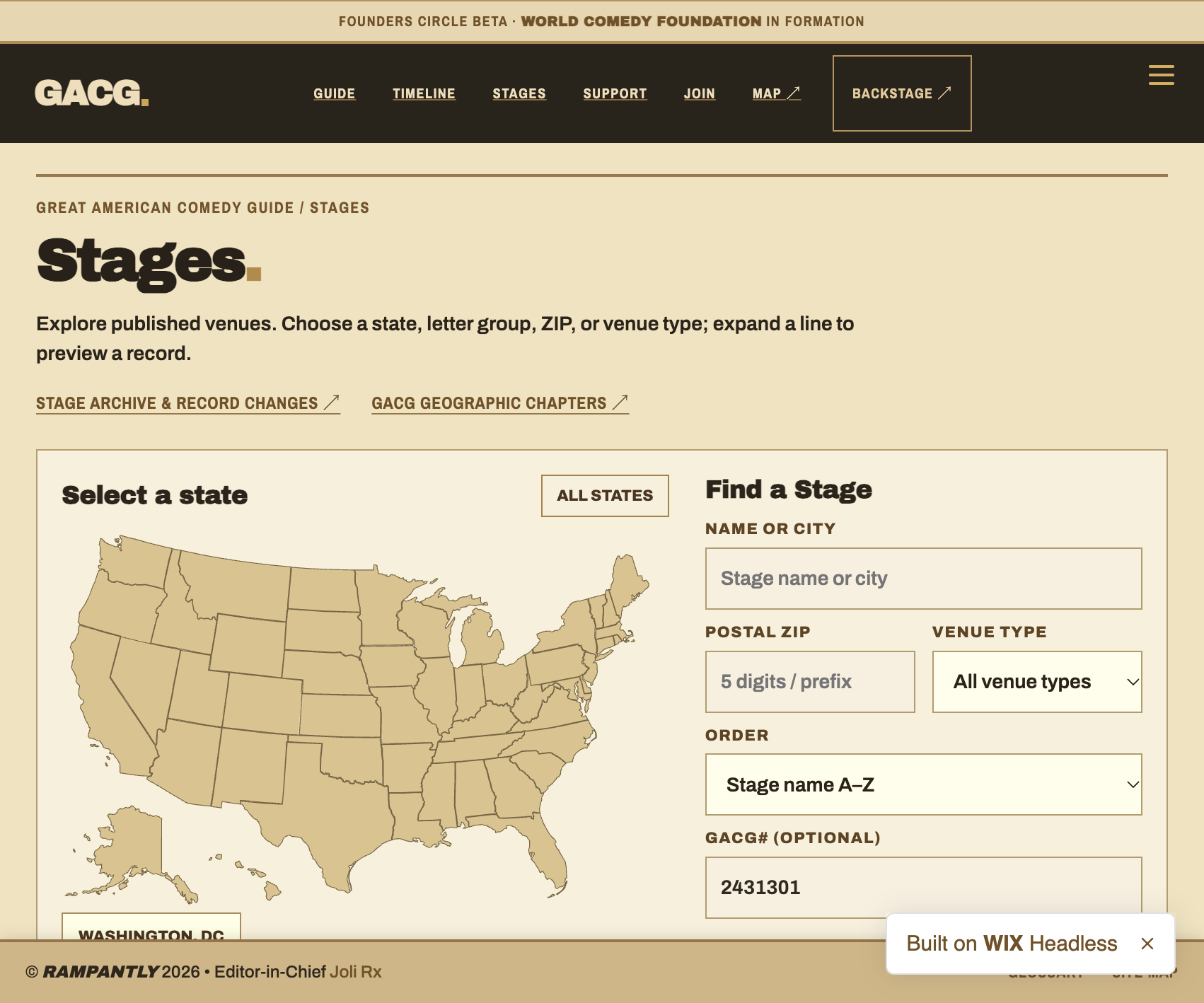
Screenshot of the live GACG Stage directory showing its navigation and stage listings.
SCREEN CAPTURE / STAGE DIRECTORY · GACG PUBLIC INTERFACE

Search the published venue register, follow exact physical Stage IDs and examine recording history.

How to use this tool
  1. Search the published Stage directory for the room or region.
  2. Open an individual venue's public Stage page.
  3. Use Backstage to request a correction or authorized operator access; live alterations require a verified credential.

Read the record

Recorded Specials

PUBLIC
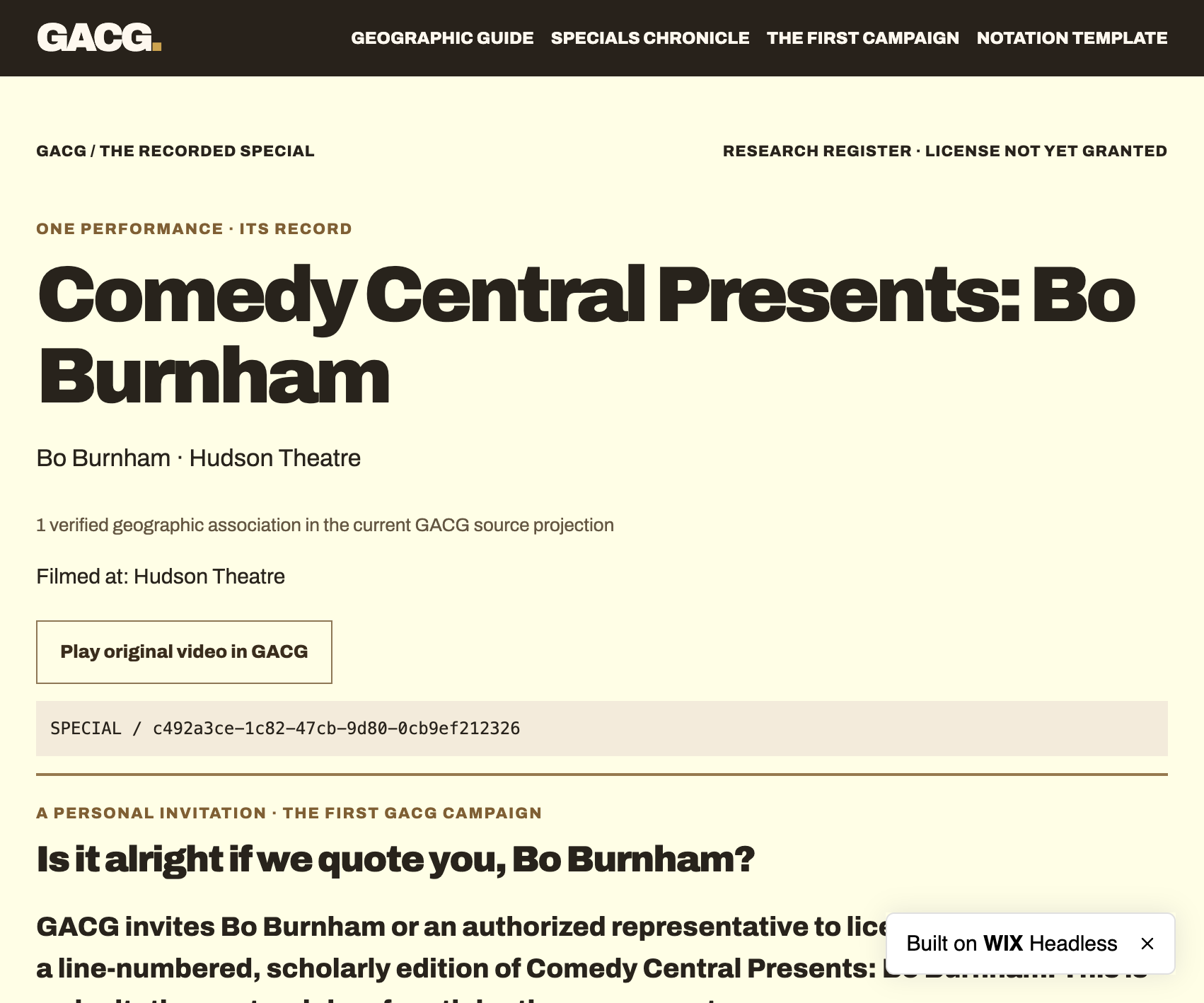
Screenshot of a GACG recorded comedy Special detail page and editorial invitation.
SCREEN CAPTURE / RECORDED SPECIALS · GACG PUBLIC INTERFACE

Review the filmed work, comedian, venue, evidence and proposed critical-edition commission.

How to use this tool
  1. Select a recorded work from the geographic carousel or Specials Chronicle.
  2. Check the credited comedian and filming Stage on the detail page.
  3. Use the licensing or commissioned-notation invitation to propose a rights-cleared scholarly edition.

Number every line

Special notation editor

LOCAL DEMONSTRATION
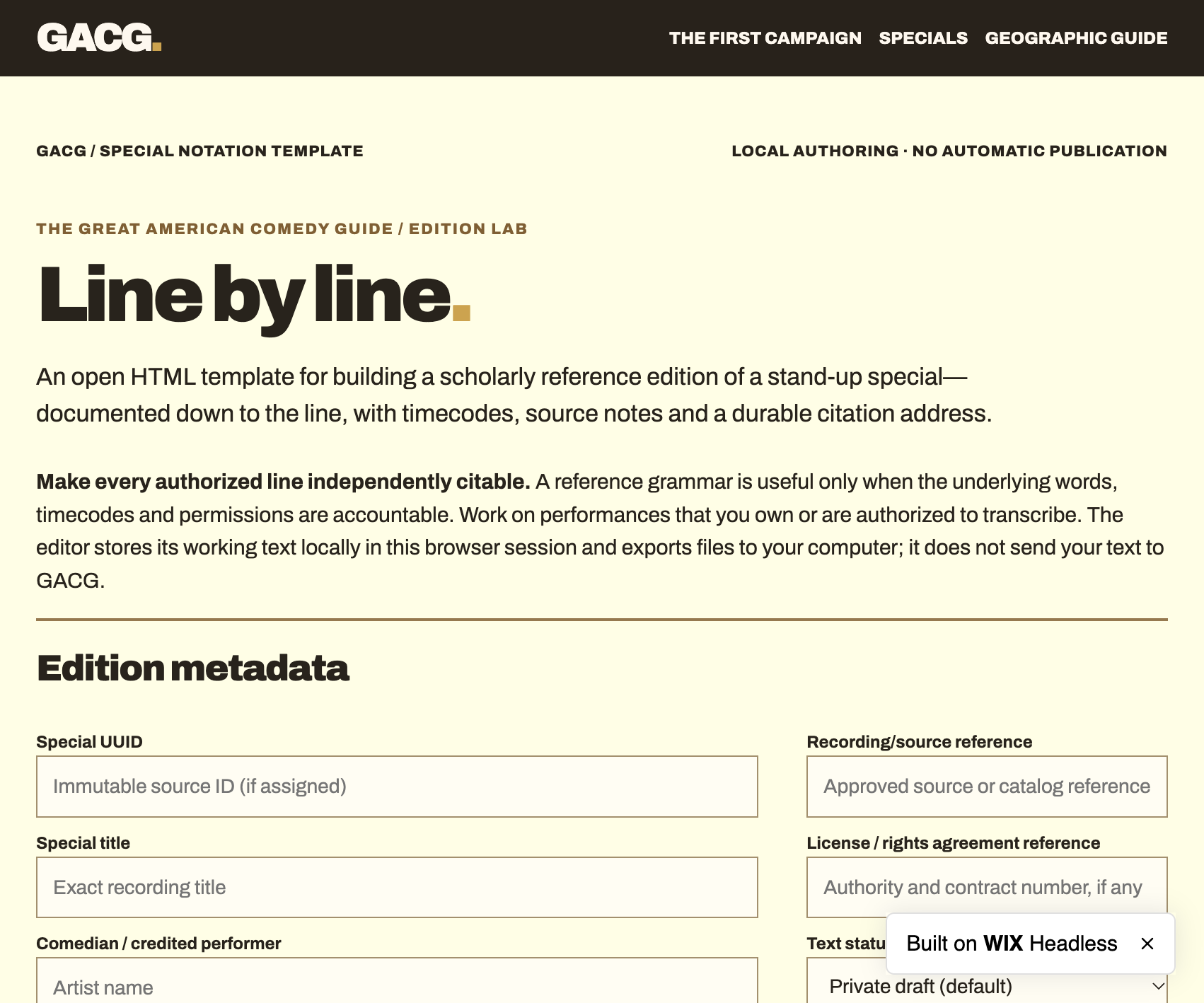
Screenshot of the GACG line-by-line special notation editor with edition metadata fields.
SCREEN CAPTURE / SPECIAL NOTATION EDITOR · GACG PUBLIC INTERFACE

Prepare an edition with stable line addresses, timecodes, source notes and editorial annotations.

How to use this tool
  1. Start with a work you own or have permission to transcribe.
  2. Enter the source, edition metadata and timed lines. The sample editor runs locally.
  3. Export the edition JSON or CSV for contractual review; public publication requires a verified RAMPANTLY account, name credential and rights clearance.

Organize your work

My Desk

MEMBER CREDENTIAL REQUIRED

Keep My Queue, Inbox, Outbox, saved venues and authorized professional work in distinct fields.

How to use this tool
  1. Preview the Founders Desk demonstration, which contains fictional sample records.
  2. Sign in to RAMPANTLY to establish the member principal.
  3. After the professional-name authorization is linked, access your real Desk and its permitted functions.

See a complete workflow

Founders Desk demonstration

PUBLIC DEMO · NO LIVE WRITES

A fictional, interactive view of desks, research, assignments, Queue, Inbox and Outbox.

How to use this tool
  1. Open the demonstration without signing in.
  2. Switch between My Queue, Inbox, Outbox, Assignments and the local geography desk.
  3. Try a sample action; watch the on-screen demonstration receipt. Nothing enters the live records.

Make the handoff

Assignments & work orders

MEMBER CREDENTIAL REQUIRED

Route proposed paid assignments and delivery expectations through authorized editorial desks.

How to use this tool
  1. Review the public tutorial for the work-order lifecycle.
  2. Sign in as the assigned member and wait for issuer-backed name authorization.
  3. Accept or complete only assignments addressed to your verified principal, under agreed terms.

Work with the venue

Club Desk

MEMBER CREDENTIAL REQUIRED

Manage venue-level affiliation and operations through independently verified delegations.

How to use this tool
  1. Identify the original Stage using its published UUID.
  2. Sign in with the RAMPANTLY member identity and request an operator/representative link.
  3. After approval, use the delegated Club Desk for actions authorized by that Stage holder.

QUESTIONS FROM CONTRIBUTORS

Working questions.

Do I need an account to explore the tools?

Public Stage, geographic, Special, and tutorial pages are readable without signing in. The Founders Desk demonstration uses fictional examples and stays in this browser. Real editing and delegated operational actions require authorized RAMPANTLY membership.

Does signing in automatically make me an editor or Stage representative?

Signing in establishes a RAMPANTLY member principal. A verified professional name, Lead or Stage-holder authorization, scope, and current standing must be linked separately before live privileges can be granted. The identity contract remains pending; no self-declared name creates authority.

What is the difference between My Queue, Inbox and Outbox?

My Queue contains Specials or assignments you add to express interest. Inbox is for Invitations and Assignments received. Outbox is for Invitations and Assignments sent. One does not imply another.

Can a contributor upload a transcript or a screencap?

Use the notation template to compose an authorized local draft and export it for review. A complete transcript or screenshot must meet the applicable rights, attribution, and publication terms before GACG distributes it. The public guide supplies paths to submit proposed work and documentary corrections.

How will these screen captures stay current?

Each tutorial identifies the tool route and its capture. The screen-capture field is independently replaceable as the live tool changes, without renumbering the geography or altering the tool identity. If a capture is unavailable, this guide shows text instructions rather than a blank media box.

“Can we quote you?”

Our first campaign invites comedians to authorize scholarly documentation of their recorded work, with traceable sources and independently citable lines.
READ THE INVITATION ↗